

How to Improve Website Speed: A Practical Guide for Irish Businesses

A slow website loses enquiries before anyone reads a word. The fastest way to improve website speed is to measure first, fix the biggest files and the hosting, remove what you do not use, and then re-test on a phone. Hosting and technical upkeep are a big part of the result, which is why our websites are built mobile-friendly and fast, and why our monthly care plans include managed hosting and technical care.
This guide is for owners of new and small Irish businesses: sole traders, tradespeople and shop or service owners who want a site that loads quickly and brings in calls and forms. You do not need to be technical. You need to know what to check and in what order.
TL;DR
- Test your site on a phone first, then in PageSpeed Insights, and write down the three Core Web Vitals scores before you change anything.
- Oversized images, slow hosting, unused plugins and heavy extras cause most slow small-business sites.
- Aim for the main content to appear in 2.5 seconds or less, taps to respond within 200 milliseconds, and nothing jumping around on screen.
- Change one thing at a time and re-test, so you know what worked.
- Speed is ongoing: hosting, updates and plugins drift over time, so it needs regular care.
Table of Contents
- Why speed matters for a small business
- Step 1: Measure before you touch anything
- Step 2: Fix your images first
- Step 3: Check your hosting and caching
- Step 4: Remove what you do not need
- Step 5: Minify code and keep things updated
- A quick order of attack for WordPress sites
- Step 6: Re-test and keep checking
- Our view: speed is a care job, not a one-off fix
- What it costs to have this done for you
- FAQ
- Sources
Why speed matters for a small business
People searching for an electrician, a physio or an accountant are usually on a phone, often on mobile data, with several other businesses one tap away. If your page hangs, they go back and ring the next one.
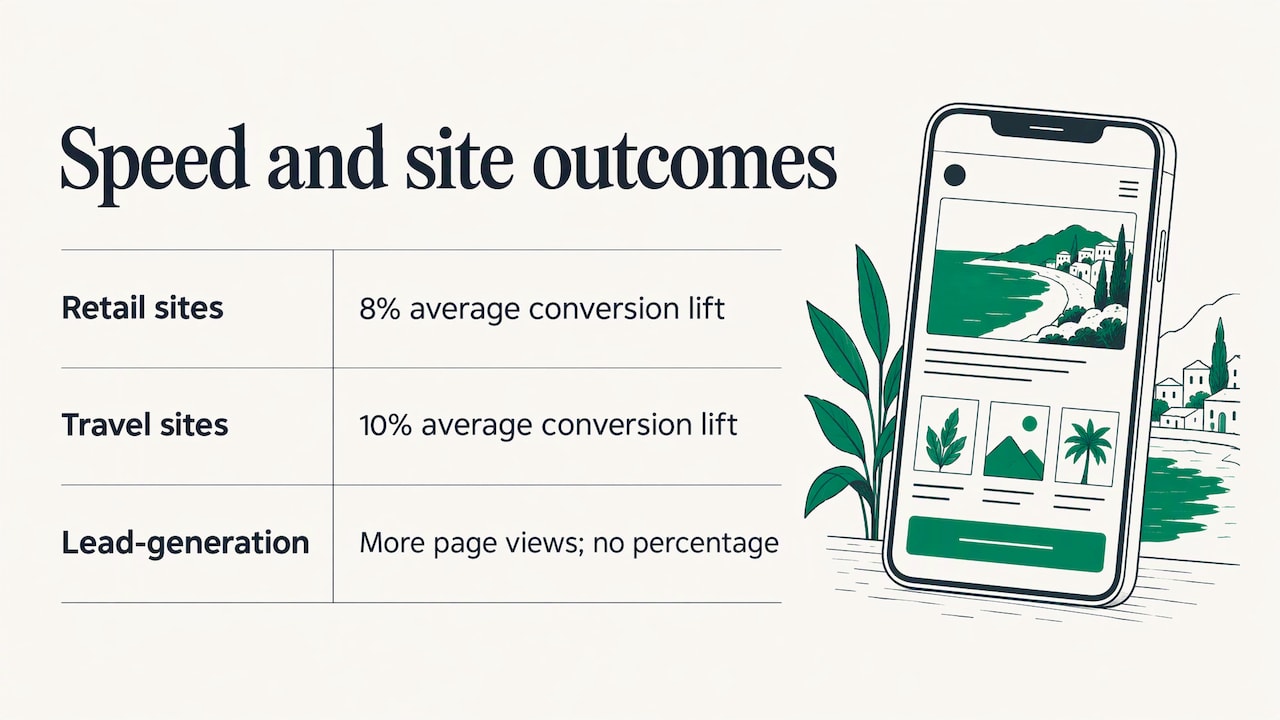
There is good evidence that small gains count. Deloitte analysed mobile data from 37 brands across Europe and the US over four weeks. A 0.1-second speed improvement lifted conversions by 8% for retail sites and 10% for travel sites on average. Lead-generation sites in the same study saw more page views. Those are large brands, so do not expect the same percentages. The direction is what matters: faster pages keep more visitors moving towards the contact form.
Speed also feeds into how professional you look. A site that loads instantly feels like a business that has its act together. If your site already gets visits but few calls, speed is one of the first causes to rule out, alongside the others in our guide to why a website is not getting enquiries.
Step 1: Measure before you touch anything
If you skip this step you cannot tell whether later changes helped.
Test like a customer. Open your site on your own phone using mobile data, not your office wi-fi. Try it somewhere with a weaker signal. Note how long it takes before you can read your headline and tap the phone number.
Then run PageSpeed Insights. Google’s free PageSpeed Insights tool reports two kinds of data. Field data is real-world performance from actual users on a variety of devices and networks, and lab data is a simulated test. Read the field section first. Very new or small sites often show “no data” because too few people have visited, and in that case the lab result is your guide. If you want a wider view of how to judge pages on mobile, our reading on making pages mobile-friendly shows what a clean mobile experience looks like.
A few testing rules save confusion:
- Test the full final address of your page. Testing a redirect, such as www versus non-www, adds redirect time and skews the result.
- Test the live site, not a draft copy, because draft versions often behave worse than what visitors see.
- Run the test two or three times and look at the pattern, not one number. Results vary by device, location and connection.
What the numbers mean
Google’s Core Web Vitals are three measures of real visitor experience. Our own plain guide to Core Web Vitals goes deeper, but here is the short version:
| Measure | What it tells you | Good score |
|---|---|---|
| Largest Contentful Paint (LCP) | How long until the main thing on screen has loaded | 2.5 seconds or less |
| Interaction to Next Paint (INP) | How quickly the page reacts when someone taps | 200 milliseconds or less |
| Cumulative Layout Shift (CLS) | How much things jump around while loading | 0.1 or less |
Cloudflare’s documentation also lists a server response time (TTFB) under 800 milliseconds as a target. That figure matters in Step 3.
Do not obsess over a total “fully loaded” time. A page can be usable long before a footer image or analytics script finishes, so LCP is the better number to watch.
Step 2: Fix your images first
Images are usually the biggest gain on a small-business site. A photo straight from a phone or a camera can be several megabytes, and the page has to download all of it, even when it is shown the size of a postage stamp.
The routine is simple:
- Resize to the size it will be shown. Ireland’s Centre for Excellence in Universal Design gives the example of resizing a 4928 by 3264 pixel photo to the dimensions it will actually display at. For most full-width images, around 1,600 pixels wide is plenty. Thumbnails need far less.
- Compress, then compare. The same guidance says to compare file size and quality after optimising. If you cannot see a difference, keep the smaller file.
- Use a modern format. WebP gives the same look as JPEG at a smaller file size, and most browsers support it.
- Start with the biggest. Fix the hero image at the top of the page and any large gallery photos before touching small icons.
- Keep your alt text. Describe meaningful images in a short, accurate alt text. Decorative images get an empty alt attribute. Speed work should never strip accessibility.
Where it goes wrong: stretching a tiny image to fill the screen looks blurry, and over-compressing logos makes them look fuzzy. Check the page on a phone after each batch.
On the sites we build, mobile-friendly, fast pages are part of the design from the start, so you are not retrofitting this later.
Step 3: Check your hosting and caching
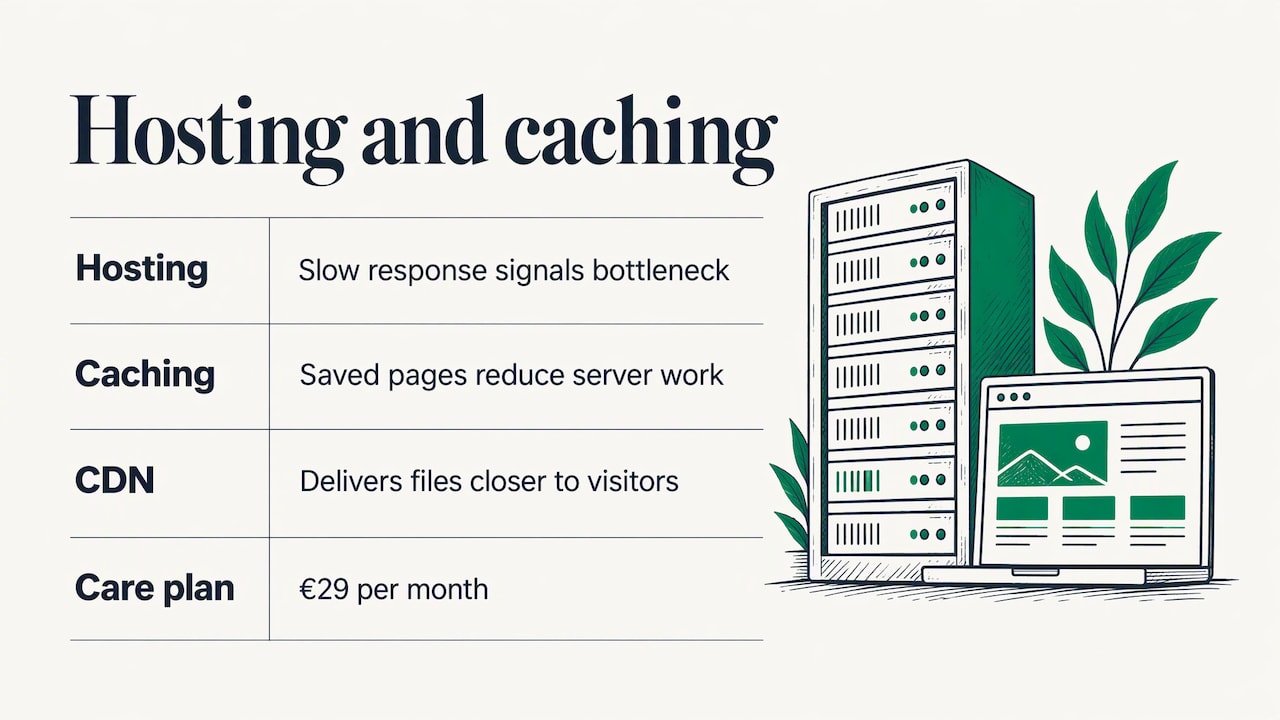
Hosting is the server your website lives on. If it responds slowly, no amount of image tidying will fully fix the page. In PageSpeed, a slow server response is the usual sign that hosting is the bottleneck.
Caching is the other big lever. Caching serves a saved copy of a page instead of rebuilding it for every visitor, which reduces the work the server does. The same official WordPress guide says a content delivery network (CDN, a network of servers that deliver images and files from a location closer to the visitor) can take the delivery of images, CSS and JavaScript off your own server.
Cheap shared hosting that serves hundreds of sites from one machine is a common cause of slow response in small businesses. This is one reason our care plans include managed hosting rather than leaving you to sort out a host yourself. The Website Care plan is €29 per month, and the plan details are explained on our website care plans page.
Step 4: Remove what you do not need
Every plugin, font, slider and tracking script adds weight. The honest question for each is whether it brings you customers.
- Plugins. The official WordPress guide advises removing plugins you do not need and checking whether your theme is unnecessarily heavy. Take a full backup, remove one plugin at a time and re-test.
- Sliders and auto-playing video. A single strong photo with a clear headline loads faster and usually reads better on a phone than a rotating banner.
- Embedded video. Show a picture with a play button and load the video only when someone taps it.
- Third-party scripts. Old chat widgets, extra analytics and social feeds you no longer use all slow the page. Remove those that do not earn their place.
- Fonts. Two font styles are enough for most small business sites.
Keep what helps people contact you. A tappable phone number, an enquiry form and a WhatsApp button are worth their small cost. The goal is a lean page, not a bare one.
Step 5: Minify code and keep things updated
Minifying means stripping spaces and comments from CSS and JavaScript files, which are the instruction files that style your pages and make them interactive, so they download faster. Most good caching tools and managed hosting setups can do this for you. If you are asking about it in a spreadsheet of fixes, put it after images, hosting and plugins: it saves less.
Updates matter too. Out-of-date software tends to get slower and less secure. Our website maintenance checklist lists five checks that take 45 minutes and keep a small business site healthy.
A quick order of attack for WordPress sites
If your site runs on WordPress, the official guide points to caching as a quick first fix. Then work down this list:
- Turn on page caching.
- Compress and resize images.
- Remove unused plugins.
- Check whether the theme is heavy.
- Update WordPress, the theme and plugins.
- Re-test after each step.
If you have worked through all six and the site is still slow, the cause is usually hosting or an old, bloated build. That is when a rebuild pays for itself. When you rebuild, keep your page addresses the same or set up 301 redirects (permanent forwarding from the old address to the new one) so you do not lose the search rankings you have already earned.
Step 6: Re-test and keep checking
Run the same tests you ran at the start and compare. Then look at business results: are enquiries, calls and form submissions moving? Deloitte’s report recommends continuous monitoring and optimisation rather than treating speed as a one-off task, together with a mobile-first approach.
A sensible rhythm for a small business is a quick PageSpeed check every month or two, and again after any new plugin, large photo upload or redesign. Once your site has enough visits, Google Search Console’s Core Web Vitals report groups pages with the same issue, so you can fix them together.
Our view: speed is a care job, not a one-off fix
Most slow websites we see described by new business owners did not start out slow. They got heavier: one more plugin, one more big photo, a host that was cheap on day one. Speed is the result of lots of small decisions, so we treat it as part of looking after a site, not a project you finish.
That is why we pair a fixed-price website build with an ongoing care plan. You get one person to deal with directly, plain English instead of jargon, and a site designed to be fast and mobile-friendly. For a tradesperson or sole trader, the sensible goal is simple: a page that opens quickly on a phone and makes it easy to call or send an enquiry.
If your current site is heavy and old, a rebuild is often quicker and cheaper than patching it. If you are starting from scratch, build speed in from day one.
niall
What it costs to have this done for you
If you would rather not spend your evenings compressing photos, we build and look after the site for you. Our fixed-fee websites are Launch Website at €499, Business Website at €799 and Growth Website from €1,295, all one-off. Monthly care starts at €29 for Website Care, €49 for Business Growth Care and €99 for Website Care + SEO Growth. If your current site is slow and outdated, our website redesign and rebuild service is the place to start.

We also set up your domain and business email, Google Business Profile and local SEO foundations, so the site is found as well as fast. See the full list of services, or find out how the process works.
FAQ
How fast should my website load?
Aim for the main content to appear in 2.5 seconds or less, which is Google’s “good” threshold for Largest Contentful Paint. Taps should respond within 200 milliseconds. Test on a phone, because that is where most local searches happen.
What is the quickest way to speed up my website?
Resize and compress your largest images, and turn on caching. Together these usually give the biggest improvement for the least effort. Re-test after each change so you can see which one helped.
Does website speed affect my Google ranking?
Core Web Vitals are part of how Google assesses page experience, and a slow page also makes visitors leave. Even if rankings moved little, a faster page keeps more people long enough to contact you.
How often should I check my website speed?
A check every month or two is enough for most small business sites, plus one after any big change such as a redesign or new plugin. Our care plans exist so that technical upkeep is not something you have to remember.
Sources
- Milliseconds make Millions, Deloitte
- About PageSpeed Insights, Google for Developers
- Web Vitals, web.dev
- Troubleshooting a slow website, Cloudflare Speed docs
- How to run a website speed test, Perfmatters
- Images need a text equivalent, Centre for Excellence in Universal Design
- Optimization, WordPress developer documentation